Envelope budgeting —
every currency counts.
Your salary lands in one currency, your rent leaves in another, and your savings sit in a third. Rudopo budgets all three at once. Envelope budgeting and net worth in any of 155 currencies.
New on the blogEnvelope budgeting with multiple currencies
01A look inside
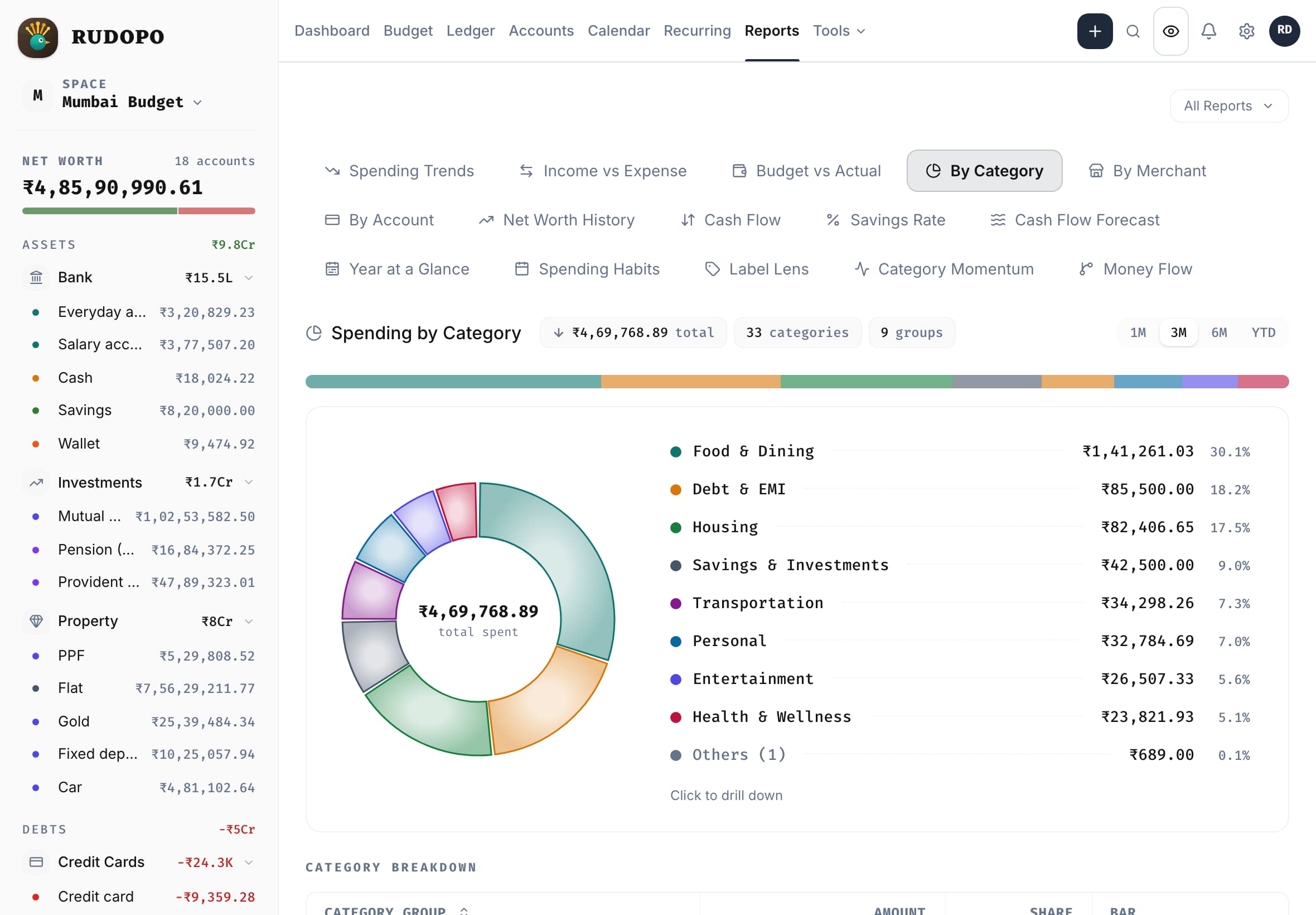
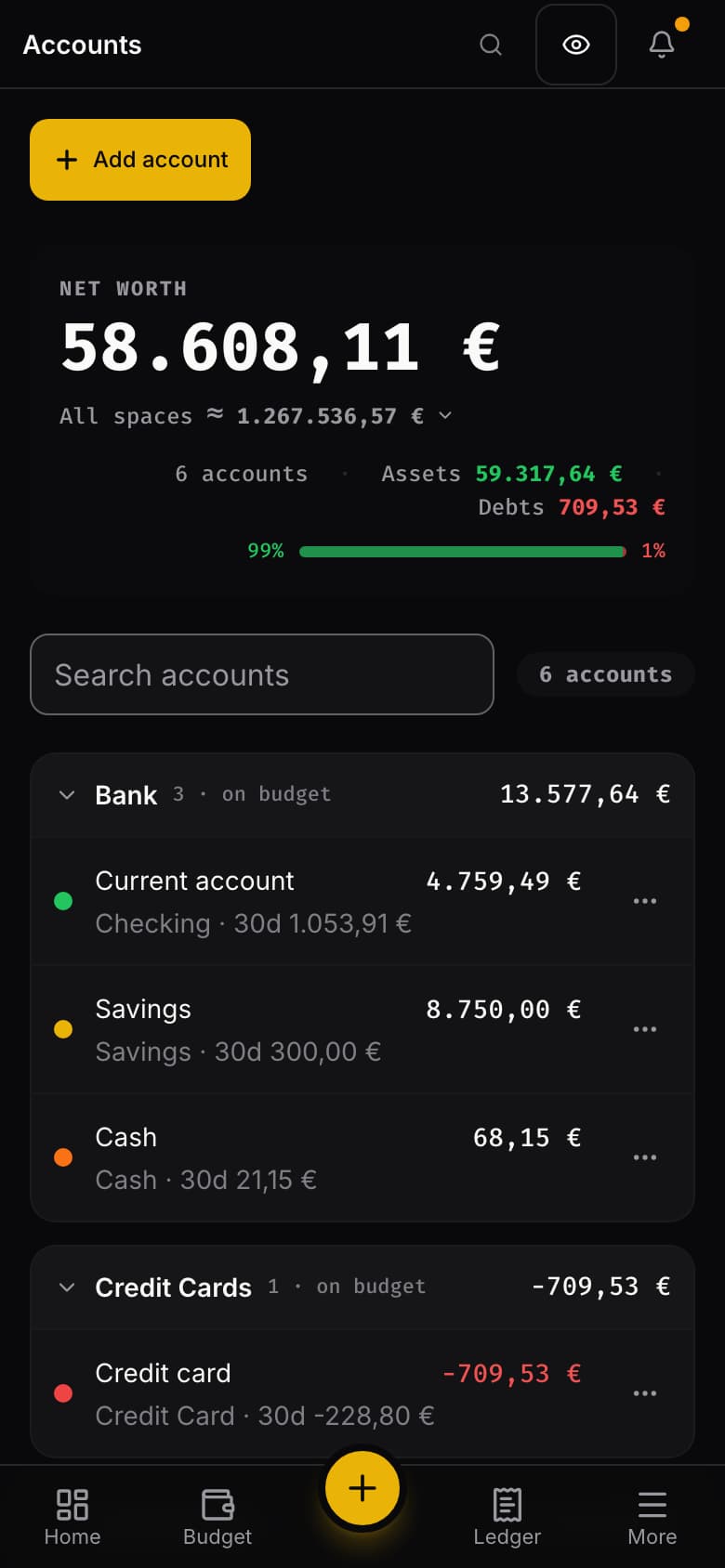
The budget on a laptop, a tablet and a phone.
A budget on the laptop, a spending report on the tablet, an account list on the phone, each in its own currency — the same envelopes, whichever screen is in your hand.
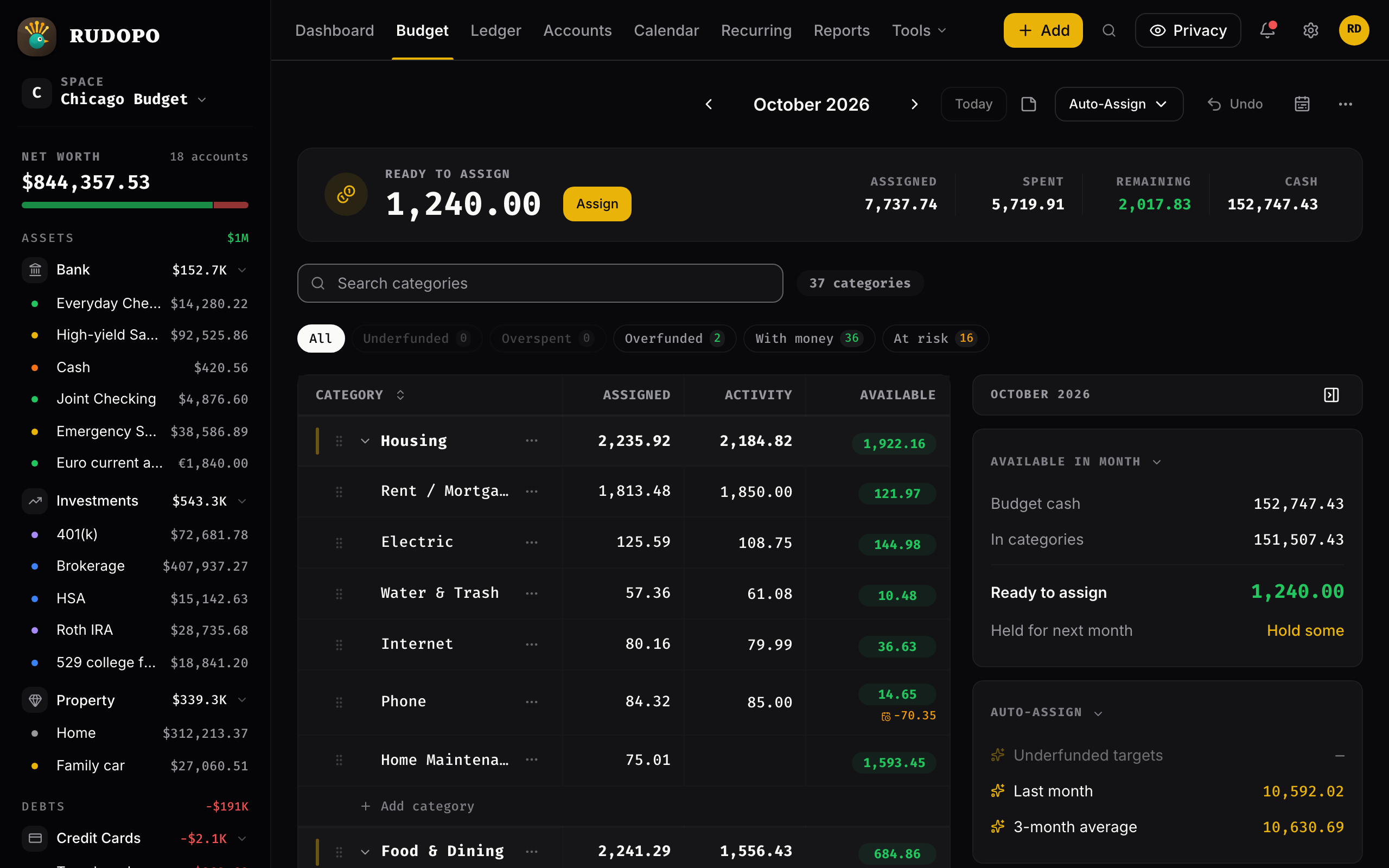
- 1Ready to Assign: money with no job yet.
- 2A euro account inside a dollar budget.
- 3Available: what each envelope still holds.
02Why Rudopo
Three choices most budgeting apps won't make.
Rudopo is what envelope budgeting looks like when privacy and multiple currencies are the starting point, not an afterthought.
Envelope budgeting
Every unit of money gets a job.
Assign what you have to envelopes before you spend it. Unspent money rolls forward, overspending is covered from another envelope in a click, and targets tell you what still needs funding.
True multi-currency
Accounts in more than one currency.
Budget in any of 155 currencies. Hold an account in a second one when both are among the 49 with official daily rates, so imported history converts at the rate of its own day, never a silent one-to-one.
How envelope budgeting works in multiple currenciesAll 155, listedPrivate by design
A budget you know, on data that is yours.
Type a transaction in seconds, import a statement, or let recurring entries post the predictable ones. No ads, no trackers, no selling your data — your numbers do one job, which is yours. Export or delete everything whenever you like.
03Getting transactions in
Quick to keep current.
Today transactions come in three ways: you type them, you import a statement, or recurring entries post them on their due dates. Rules sort what arrives; you handle the decisions.
- 01
Statements import cleanly
CSV, OFX, QFX, QIF, even PDF — bank files skip straight to review, duplicates are caught, and any import undoes in one click.
- 02
Rules do the sorting
Match on payee, amount, or account and transactions categorize and label themselves — retroactively too.
- 03
Bills enter themselves
Recurring transactions post on their due dates, so the predictable part of your month types itself.
- 04
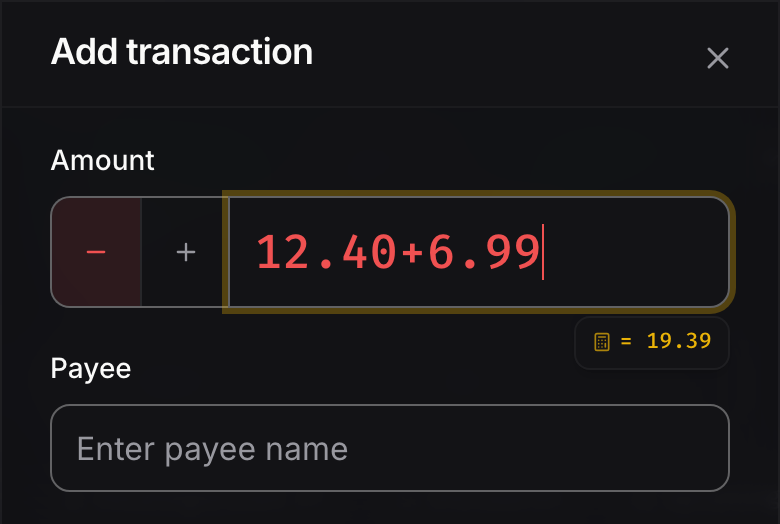
Entry is built for speed
Split one charge across categories, type 42.50+18.99 into any amount field, drive it from the keyboard, undo mistakes.
04What's inside
The essentials, done properly.
A working budget needs more than envelopes. These are the highlights — the full list has its own page.
- 01
Envelope Budgeting
BudgetingGive every unit of money a job before you spend it.
- 02
Targets & Auto-Assign
BudgetingSet a goal per category; one click funds what's needed.
- 03
True Multi-Currency
BudgetingAccounts in one currency, budget in another, where both have an official rate.
- 04
Smart Ledger
Accounts & trackingA register built for fast, precise manual entry.
- 05
Accounts & Net Worth
Accounts & trackingEverything you own and owe, in one picture.
- 06
Statement Imports
Accounts & trackingCSV, OFX, QFX, QIF, and PDF statements import cleanly.
- 07
Analytics Reports
Reports & insightYour money from every angle, one report at a time.
- 08
Rules Engine
Speed & automationIncoming transactions categorize and label themselves.
- 09
Private By Design
Privacy & your dataNo ads, no trackers, no selling your data.
05Pricing
One plan. Everything included.
No feature gates, no tiers, no surprises.
Private by design — your data stays yours
Cancel anytime — no feature gates, no lock-in
$35 billed yearlysave 27%
or $4 month to month
Prices plus tax where it applies
Included
- Unlimited budgets, accounts, and transactions
- Envelope budgeting with money movement and overspending coverage
- Every analytics report
- Rules engine with automatic categorization
- Recurring transactions and statement imports
- Multi-currency accounts at official reference rates, each from its own start date
- Every theme, plus privacy mode
- Reminders for bills, renewals, and expirations
- Developer API with personal access tokens
- One-click data export and permanent deletion
06Get started
Ready to make every currency count?
No invite, no waitlist — start your 30-day free trial and cancel any time before it ends.